添加 Feature27 对象
Feature27 用于在当前 Document 中创建凹穴、凸台、孔和局部加工特征。它通过一组有序的侧壁组成 Loop,再沿指定方向拉伸生成三维实体。
有序侧壁 Loop → 沿 direction 拉伸 → 生成 depth 对应的实体
                         ├─ 倒角 / 圆角
                         ├─ 内轮廓
                         ├─ splitPlane 剪切
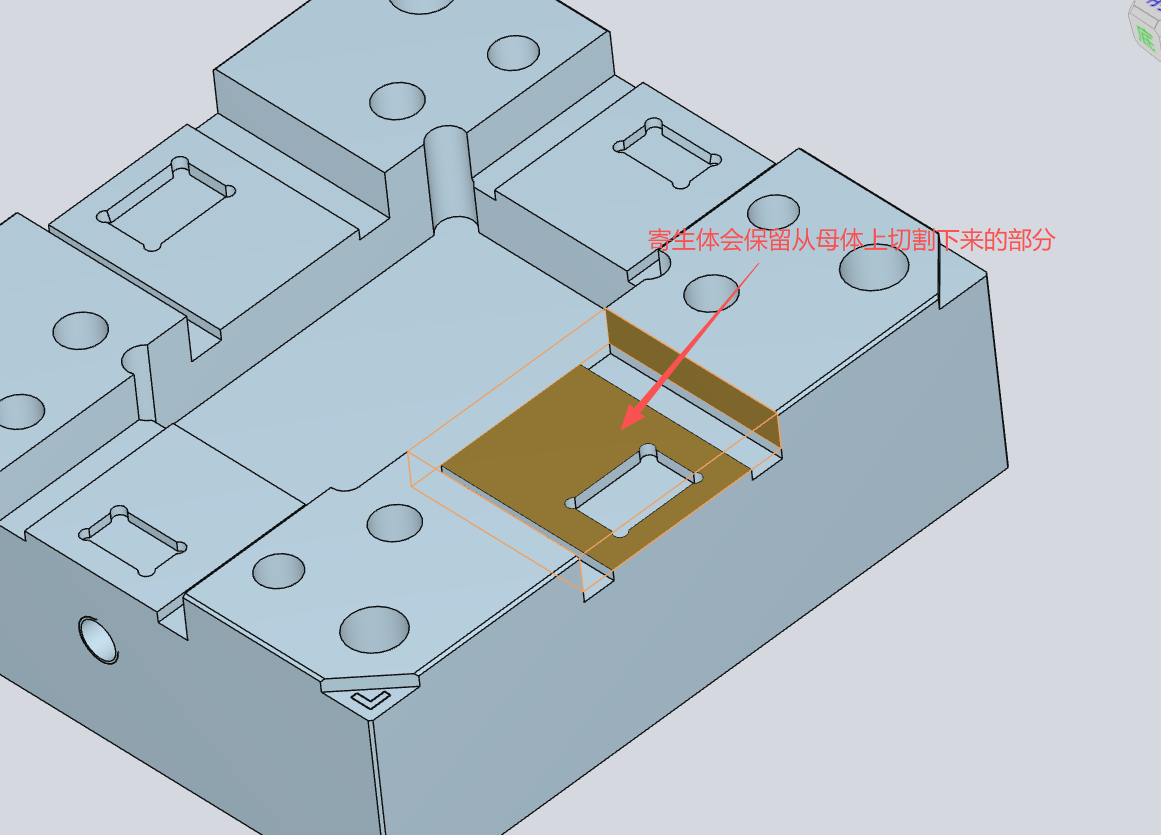
                         └─ parasite 寄生体
Feature27 依赖 @tuo/feature27 及相关几何包。本文示例来自 tuo-document 内部 manual 和 demo,适合高级扩展场景。低层 API 可能随依赖版本变化,生产项目应锁定版本并自行回归测试。
基本概念
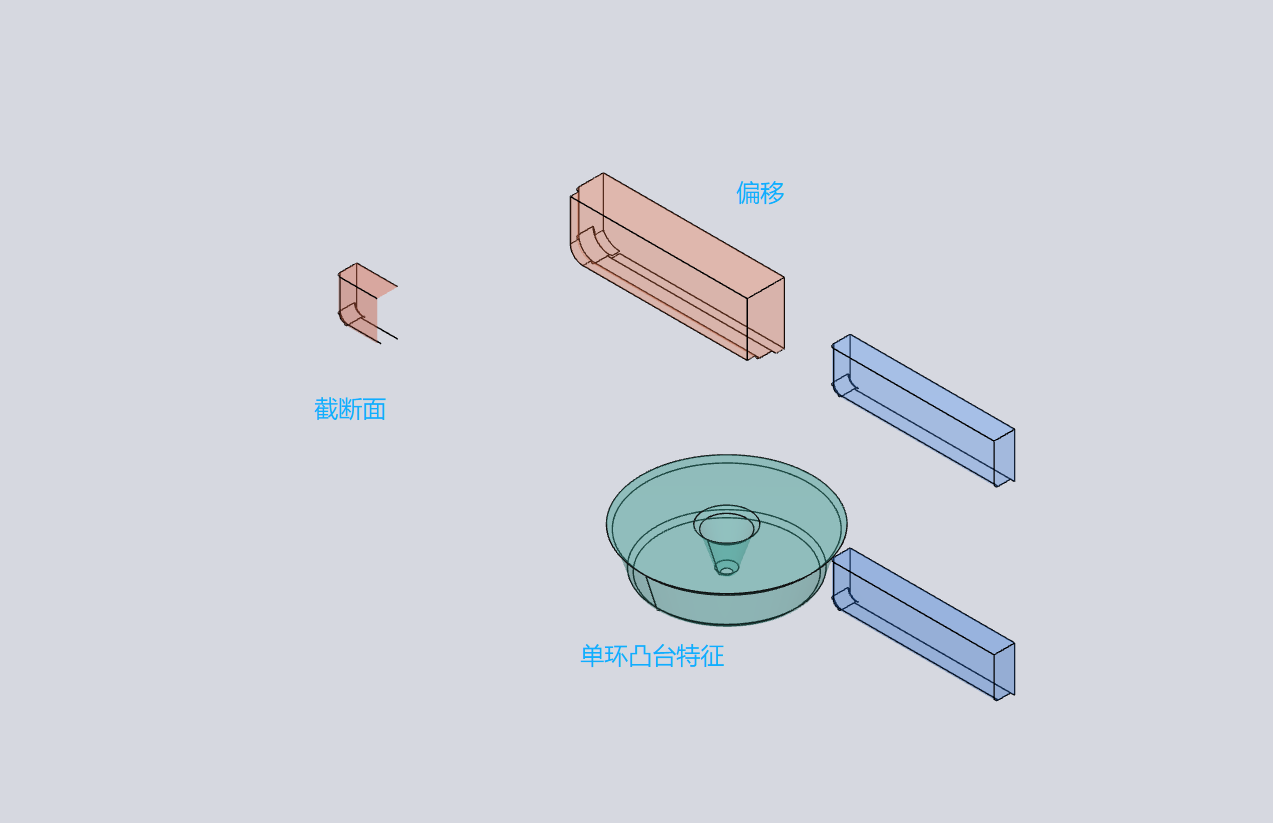
| 概念 | 说明 |
|---|---|
Side | 由原点和法线定义的平面侧壁 |
Angle | 由轴心、方向和半径定义的圆柱或圆弧侧壁 |
loop | 有序侧壁组成的封闭外轮廓 |
innerLoops | 内轮廓列表,用于表示镂空区域 |
depth | 沿 direction 的拉伸深度 |
bottomType | Plane 表示有底面,Through 表示通孔 |
offset | 对整个特征进行的轮廓偏移 |
splitPlane | 使用平面对结果进行剪切 |
parasite | 将特征作为父对象上的寄生加工特征 |
从 direction 方向观察时,外轮廓侧壁应按逆时针排列,内轮廓应按顺时针排列。
最小创建示例
下面的示例创建一个由四个平面侧壁组成的矩形凹穴。Document 已完成初始化后,通过 addNode 添加 Feature27 节点。
import { Document } from "@tuo/document";

const doc = new Document({
  logger: true,
  baseUrl: window.location.origin,
});

doc.callAfterComplete(async () => {
  doc.addNode({
    build_description: {
      type: "Feature2_7",
      origin: { x: 0, y: 0, z: 0 },
      direction: { x: 0, y: 0, z: -1 },
      depth: 50,
      loop: [
        { type: "Side", origin: { x: 0, y: 0, z: 0 }, normal: { x: 0, y: -1, z: 0 } },
        { type: "Side", origin: { x: 20, y: 0, z: 0 }, normal: { x: 1, y: 0, z: 0 } },
        { type: "Side", origin: { x: 0, y: 10, z: 0 }, normal: { x: 0, y: 1, z: 0 } },
        { type: "Side", origin: { x: -20, y: 0, z: 0 }, normal: { x: -1, y: 0, z: 0 } },
      ],
    },
    material: {
      face: { depthTest: true, transparent: true, opacity: 0.4, color: 0x2c7be5, flatShading: true, side: "front" },
      line: { depthTest: true, color: 0x000000, side: "double", renderOrder: 2 },
    },
  });
});
关键约束:build_description.type 必须为 "Feature2_7";origin 是特征起始位置;direction 是拉伸方向;depth 是拉伸深度;material 只控制渲染外观。
数据结构
type Vec3Msg = { x: number; y: number; z: number };

type Feature27_LoopPlaneMsg = {
  type: "Side";
  origin: Vec3Msg;
  normal: Vec3Msg;
  topChamferType?: "Bevel" | "Round";
  topChamferSize?: number;
  bottomChamferType?: "Bevel" | "Round";
  bottomChamferSize?: number;
};

type Feature27_LoopCylinderMsg = {
  type: "Angle";
  origin: Vec3Msg;
  direction: Vec3Msg;
  radius: number;
  angle?: number;
  topChamferType?: "Bevel" | "Round";
  topChamferSize?: number;
  bottomChamferType?: "Bevel" | "Round";
  bottomChamferSize?: number;
};

type Feature27_MsgUnit = {
  type: "Feature2_7";
  parasite?: boolean;
  origin: Vec3Msg;
  direction: Vec3Msg;
  depth: number | { value: number };
  loop: Array<Feature27_LoopPlaneMsg | Feature27_LoopCylinderMsg>;
  innerLoops?: Array<Array<Feature27_LoopPlaneMsg | Feature27_LoopCylinderMsg>>;
  offset?: number;
  bottomType?: "Plane" | "Through";
  splitPlane?: { origin: Vec3Msg; normal: Vec3Msg };
};
Side.normal 应指向轮廓内部;Angle.direction 应为有效的非零方向;倒角尺寸不应超过相邻侧壁可用长度,否则可能产生几何退化。
常用建模案例
带倒角的矩形凹穴
在每条侧壁上设置顶部圆角和底部斜面倒角:
{
  type: "Side",
  origin: { x: 0, y: 0, z: 0 },
  normal: { x: 0, y: -1, z: 0 },
  topChamferType: "Round",
  topChamferSize: 3,
  bottomChamferType: "Bevel",
  bottomChamferSize: 2,
}
Side 与 Angle 混合轮廓
同一个 loop 可以混合 Side 与 Angle。Angle.origin 是圆柱轴上的参考点,radius 控制半径,direction 应与拉伸方向一致。Angle 在轮廓中的位置决定它与相邻侧壁的连接关系。
圆柱孔
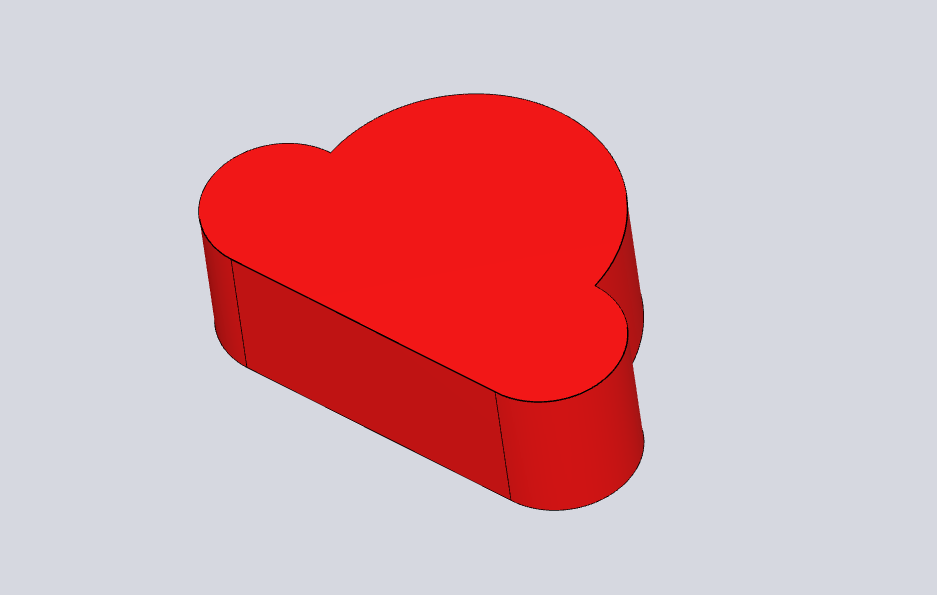
只使用一个 Angle 可以创建圆柱形特征;将 bottomType 设置为 "Through" 可表示通孔:
{
  type: "Feature2_7",
  origin: { x: 0, y: 0, z: 0 },
  direction: { x: 0, y: 0, z: -1 },
  depth: 40,
  bottomType: "Through",
  loop: [{
    type: "Angle",
    origin: { x: 0, y: 0, z: 0 },
    direction: { x: 0, y: 0, z: -1 },
    radius: 15,
  }],
}
内轮廓
innerLoops 中的每个数组代表一个镂空轮廓。外轮廓按逆时针排列,内轮廓按顺时针排列;可以同时提供多个内轮廓。
splitPlane 剪切
splitPlane: {
  origin: { x: 0, y: 0, z: 20 },
  normal: { x: 0, y: 1, z: 0 },
}
剪切平面可用于斜口、半穴和局部切削。复杂模型使用时应关注计算耗时。
Parasite 特征
寄生体用于让 Feature27 依附于已有父对象,并保留与父对象相交的部分,适合补强、嵌件和局部贴合。
doc.addNode({
  parent: "parent-node-id",
  options: { type: "Feature" },
  build_description: {
    type: "Feature2_7",
    parasite: true,
    origin: { x: 45, y: 40, z: -0.5 },
    direction: { x: 0, y: 0, z: -1 },
    depth: 13.5,
    bottomType: "Plane",
    loop: [
      { type: "Side", origin: { x: 45, y: 40, z: -0.5 }, normal: { x: 0, y: 1, z: 0 } },
      { type: "Side", origin: { x: 45, y: -40, z: -0.5 }, normal: { x: 0, y: -1, z: 0 } },
      { type: "Side", origin: { x: 115, y: -40, z: -0.5 }, normal: { x: 1, y: 0, z: 0 } },
    ],
  },
});
parent 必须指向已经存在且可渲染的节点;parasite: true 表示当前对象参与父对象的相交处理。完整寄生体示例可参照 feature27-parasite demo。
低层 Feature API
需要直接控制几何对象时,可以使用 @tuo/feature27 的低层类型:
import { Feature, Loop, WallPlane } from "@tuo/feature27";
import { Plane } from "@tuo/topological-core-frontend";
import { Vector3 } from "three";

const plane = new Plane("wall0", new Vector3(0, 0, 0), new Vector3(0, -1, 0));
const wall = new WallPlane(plane);
const outerLoop = new Loop([wall], false);

const feature = new Feature(
  outerLoop,
  [],
  new Vector3(0, 0, 0),
  new Vector3(0, 0, -1),
  50,
  "Plane",
  0,
);

const group = feature.createThreejsObject();
scene.add(group);
createThreejsObject() 返回便于分别设置材质的对象组;需要封闭实体网格时可使用 createWaterTightMesh(),再交给布尔运算库处理。低层 API 依赖 three、@tuo/topological-core-frontend 和 @tuo/feature27 的版本组合,应固定依赖版本。
与 Viewer 集成
加载平台结果后,可以从 Viewer 取得当前 Document:
const viewer = new window.TuoVisualViewer.TuoVisualViewer(container);
await viewer.load(resultUrl);

const doc = viewer.doc;
Feature27 对象属于当前 Document/Scene 的本地扩展。平台结果负责提供基础模型;如果业务需要持久化新增特征,应保存 Feature27 参数,并在模型加载完成后重新构建。第一版不承诺将新增对象自动写回平台生成的模型文件。
版本和边界
已验证的能力包括:Document.addNode()、Feature2_7、Side、Angle、innerLoops、offset、bottomType、splitPlane、parasite、createThreejsObject() 和 createWaterTightMesh()。
以下内容不作为稳定公共 API:直接操作 entityCache、内部 reducer、未导出的实体结构或底层渲染缓存。新增对象默认只存在于当前 Document 实例,业务持久化应保存参数而不是保存内部缓存对象。